Turn Your Posts Into Carousels in Seconds

AKA: Canva who?
Hey PostHero fam!
You wrote a killer post. Great hook, valuable insights, the whole package. But let’s be honest — sometimes a wall of text just doesn’t hit the same as a nice, swipeable carousel.
Problem is, making carousels takes forever. Open Canva. Pick a template. Copy-paste your text. Adjust the fonts. Fix that one slide that looks weird. Tweak the colors. Export. Upload. Cry a little.
Not anymore.
Introducing: AI Carousel Generation
Now you can turn any post into a carousel — right inside PostHero.
No design skills. No separate apps. No existential crisis over font pairings.
Here’s how it works:
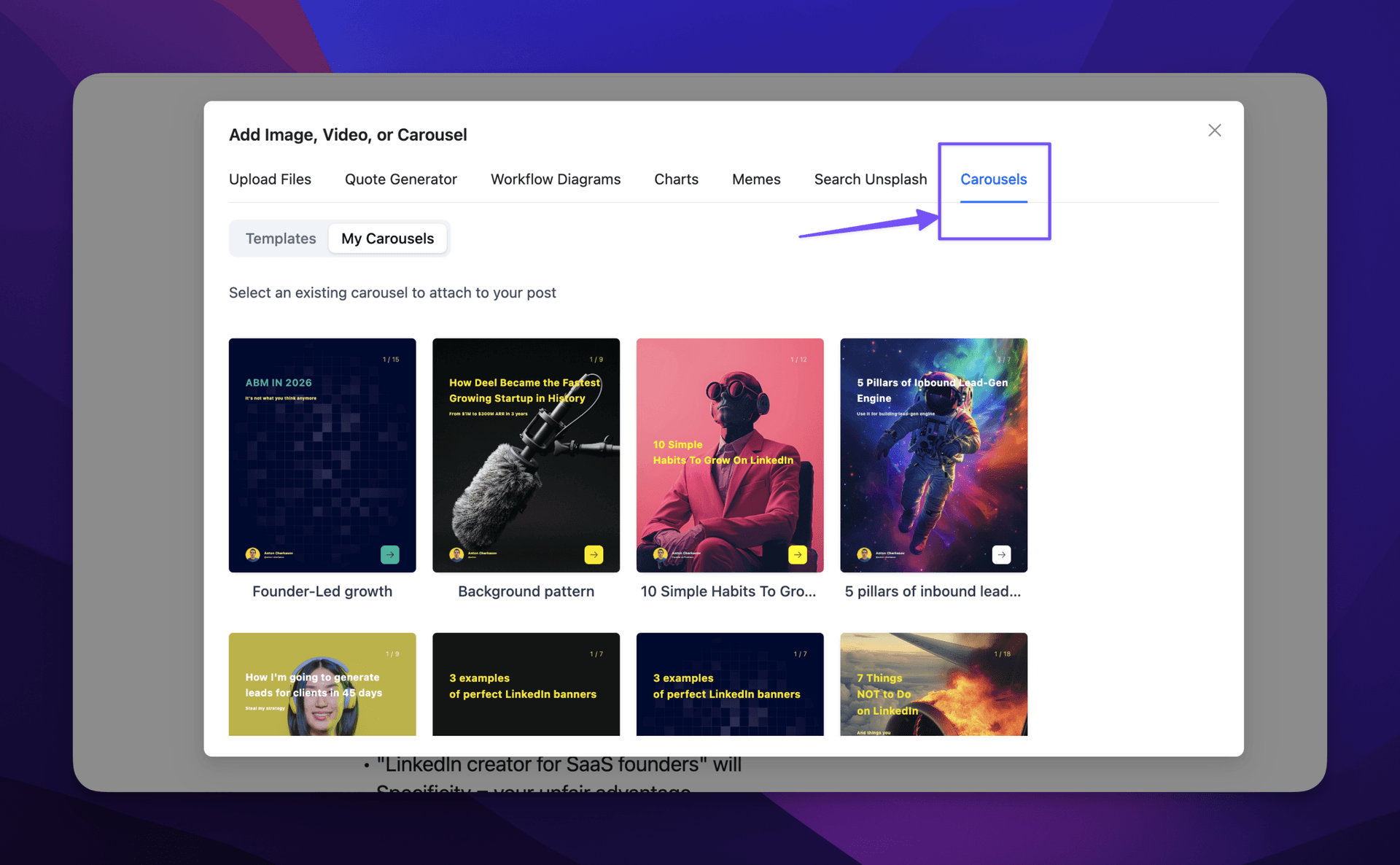
1. Click “Add Image”
You know the button. You’ve used it before. But now it does more.

2. Go to the Carousels Tab
That’s where the magic lives.
3. Choose a Carousel Template
We’ve got templates. Pick one that fits your vibe — professional, bold, minimal, whatever works for your brand.
4. Customize Your Styles
Tweak the colors, fonts, and layout until it feels like you. Or don’t — the defaults are pretty solid.
5. Generate with AI
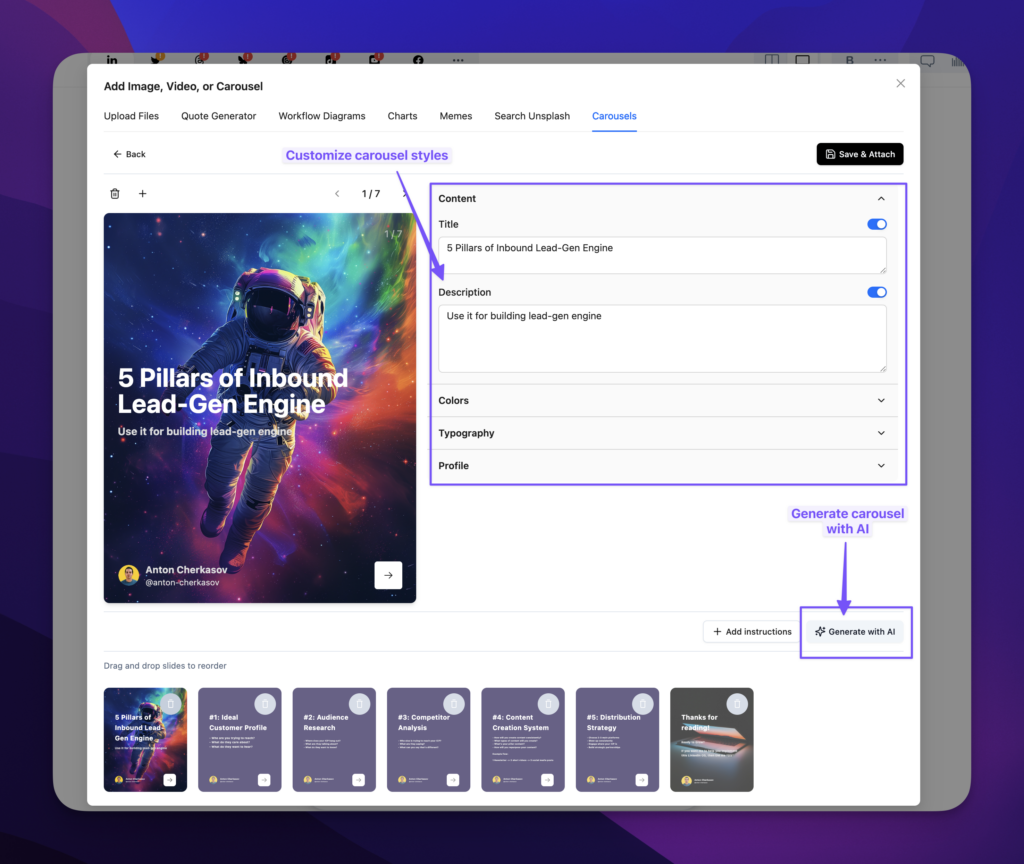
Hit generate. Watch AI turn your post into a beautiful, slide-by-slide carousel. Done.
That’s it. Five steps. Maybe 30 seconds if you’re picky about colors.
Why Carousels Matter
Look, we’re not here to tell you how to post. But the algorithm kind of loves carousels. Here’s why they work:
More time on post — People swipe. Swiping takes time. Time = engagement signals.
Easier to digest — Breaking up ideas into slides makes complex stuff simple.
More saves and shares — Carousels are bookmark magnets. People save them “for later” (and sometimes actually read them later).
Stand out in the feed — A carousel catches the eye more than plain text. It just does.
Who Is This For?
Honestly? Everyone.
- Content creators — Repurpose your posts without the design hassle
- Founders — Look polished without hiring a designer
- Marketers — Pump out more content, faster
- Anyone who hates Canva — We see you. We got you.
TL;DR
| Old Way | PostHero Way |
|---|---|
| Write post | Write post |
| Open Canva | Click “Add Image” |
| Spend 45 minutes designing | Pick template, customize, generate |
| Question your life choices | Post and move on |
Go Make Some Carousels
The feature is live. Go turn that post you’ve been sitting on into a carousel. Or take your best-performing post and give it a second life.
Either way, your content deserves to look good — and now it can, without the headache.
Happy posting!
P.S. — Yes, you can still use Canva if you want. We won’t judge. Much.