LinkedIn Profile Optimization for Founders: Turn Profile Visits Into Calls


LinkedIn profile optimization for founders means treating your profile like a sales page, not a resume: a banner and headline that say who you help, one clear call to action in Featured, an About section with your story, and an Experience section that explains the company. Get these right and profile visits start turning into booked calls.
I’m Anton. I’ve built a few startups, I’m building PostHero now, and I also write LinkedIn content for clients. So I look at a lot of profiles, mine and theirs. I first wrote this guide in 2024. This version, updated in November 2026, adds what actually brought results since then.
The short version of those results: after we rebuilt the profile of one client, an agency owner, it started bringing 5 to 10 booked meetings a month. Not from posts. From the profile itself, through a booking link we added. For an agency, where one client is worth a lot, that was one of the best returns of anything we did together.
Why LinkedIn profile optimization for founders comes before posting more
Here’s what happens when you message someone who doesn’t know you, or when your post shows up in their feed. They don’t reply right away. They click your name. Or they Google you, and your LinkedIn profile is usually one of the first results.
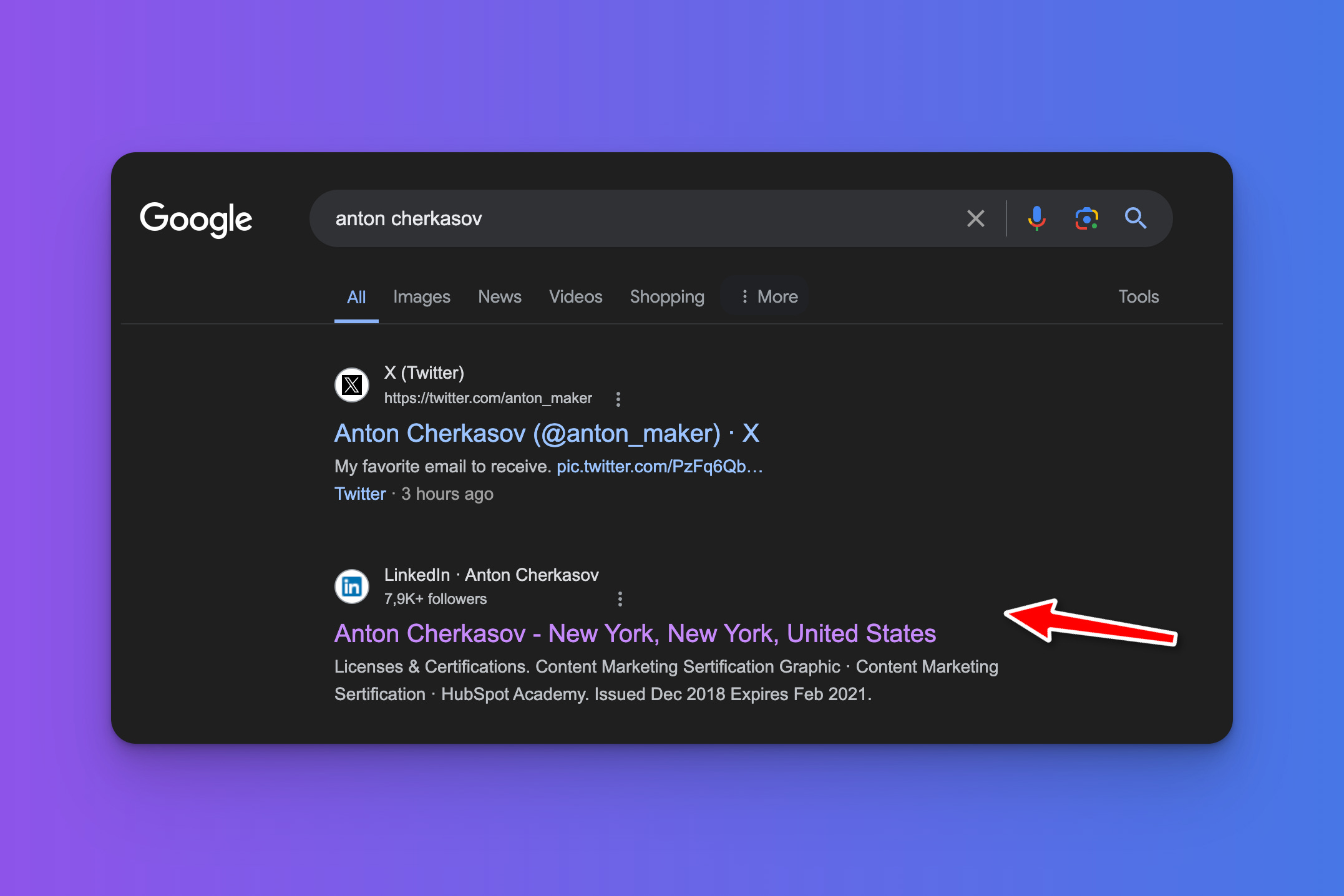
Then they spend a few seconds on the page. If in those seconds they can’t tell what you do, who you help and what to do next, they leave. Your post worked, your outreach worked, and the profile lost them.
That’s why I think of the profile as a funnel. Every post, comment and DM sends people to it, and the profile decides whether they follow you, book a call or buy.
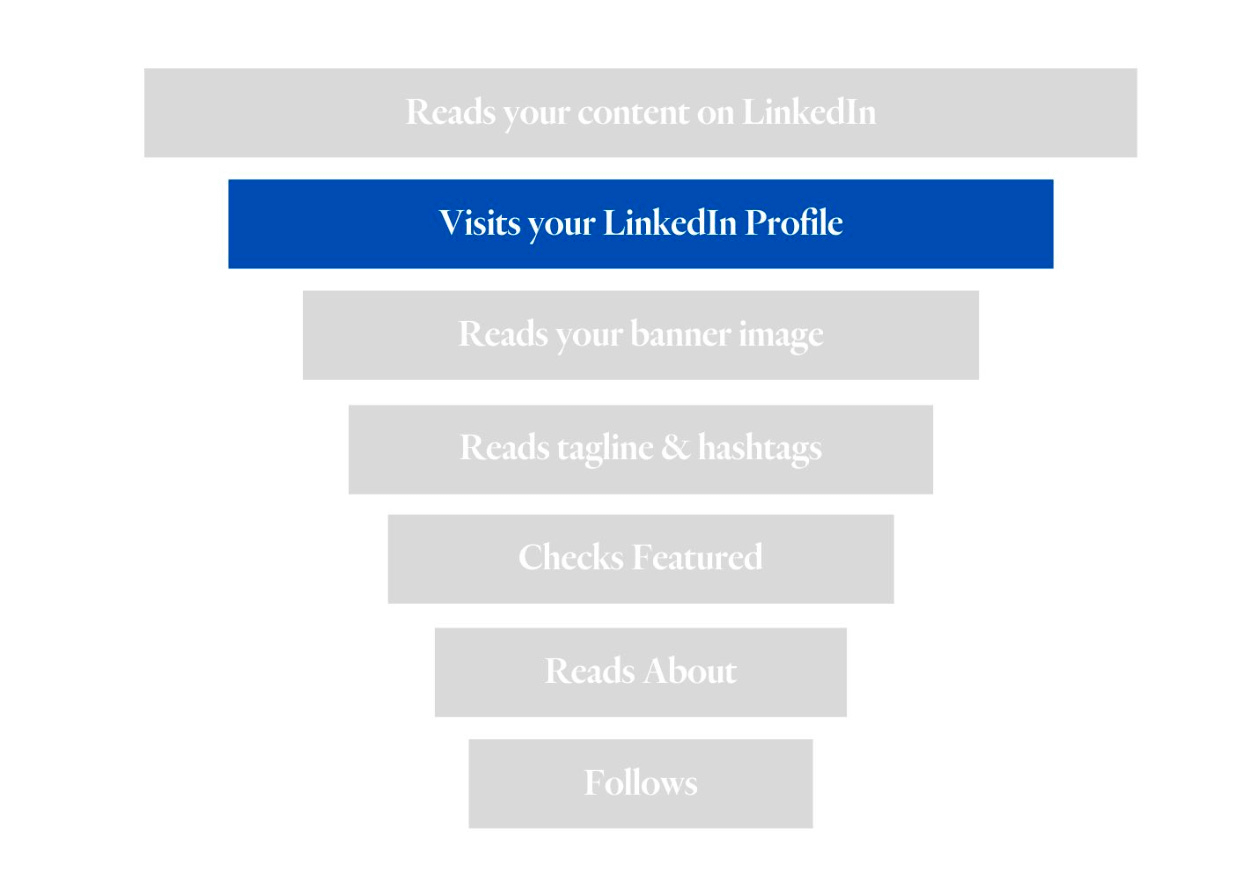
LinkedIn is still one of the best places for this. It has more than 1.3 billion members, and unlike Instagram or Facebook, a founder with no ad budget can still reach thousands of people with good posts. But posting more into a weak profile is like running ads to a broken landing page.
What LinkedIn profile optimization for founders covers
Justin Welsh suggests thinking about your profile as a sales page, and I completely agree. These are the parts that decide how people see you, roughly in the order they see them:
- Banner image
- Profile photo
- Headline
- Featured section
- About section
- Experience
The goal is simple: someone lands on your profile and within a few seconds knows what you do, who you help and what result they get. Everything below is about making that obvious.
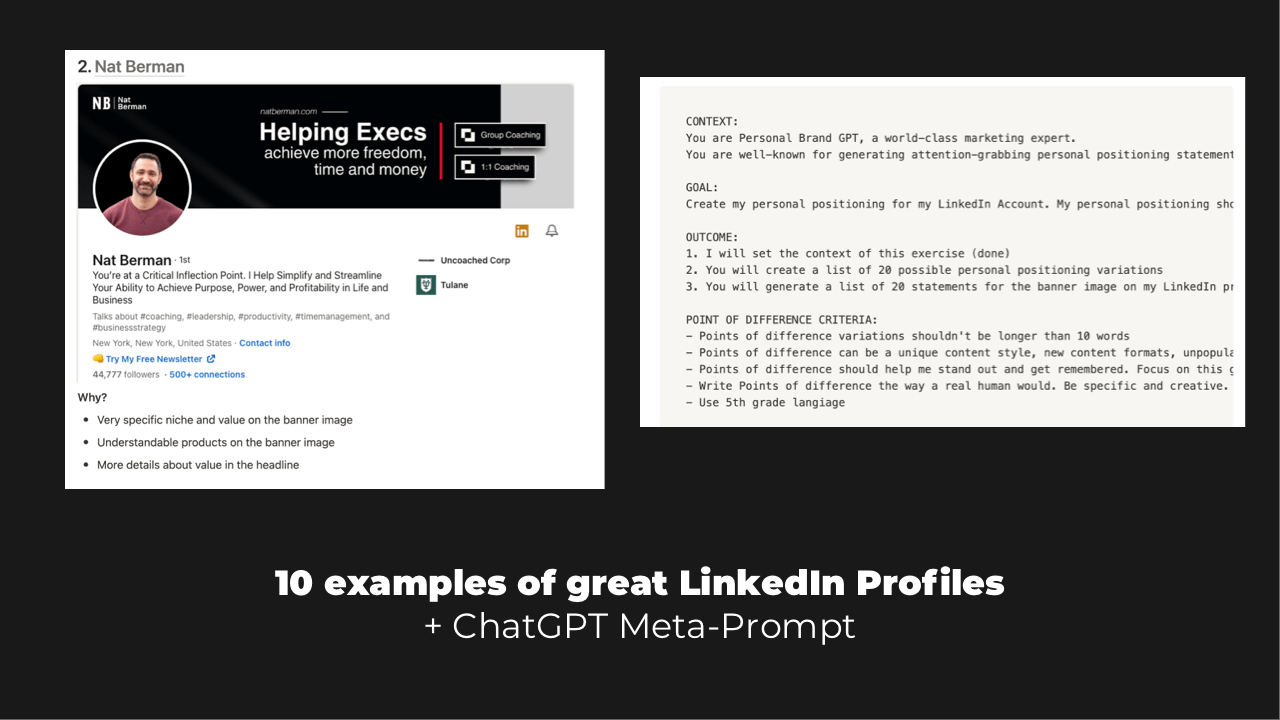
If you want to see good profiles first, I collected 10 LinkedIn profile examples in a free Notion page.
Banner image: your one-line pitch
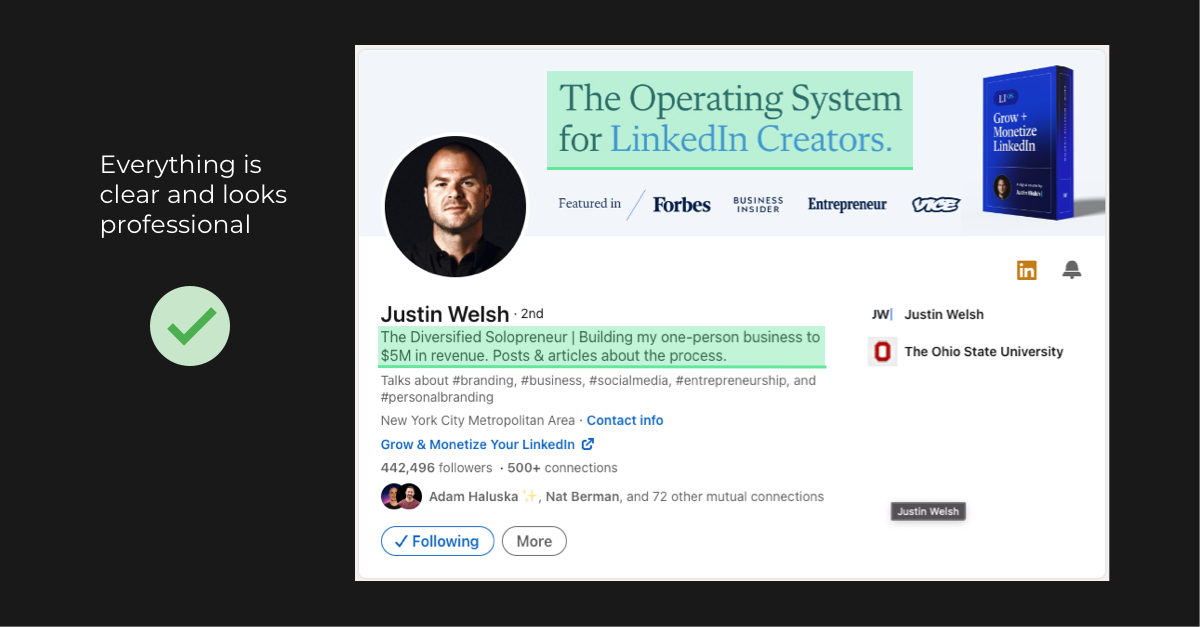
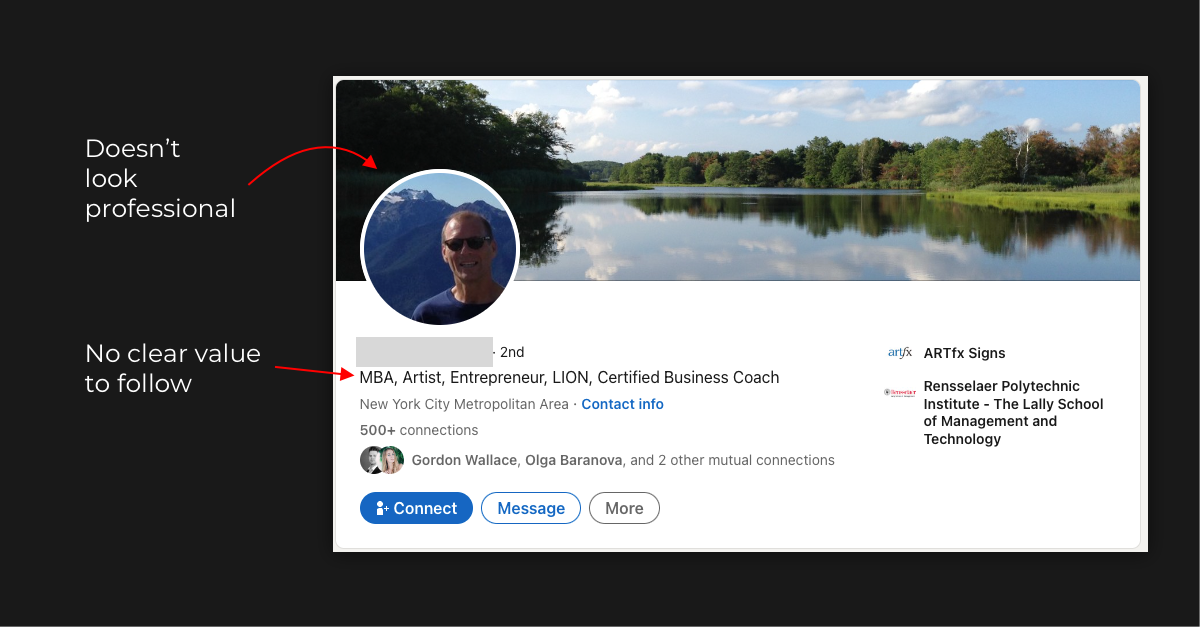
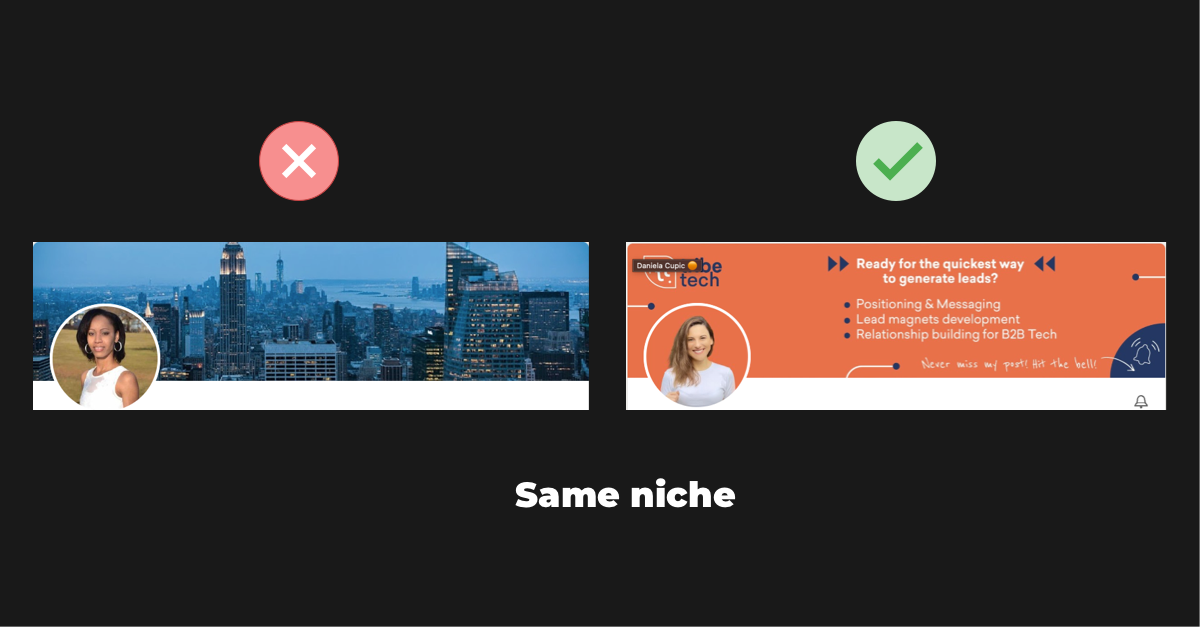
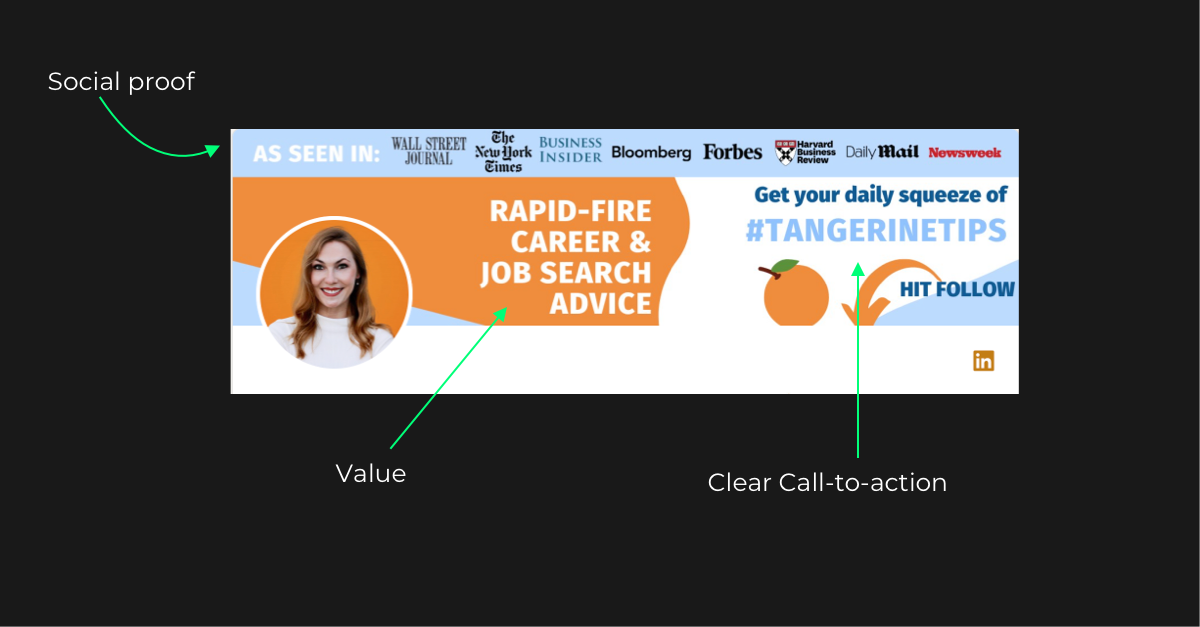
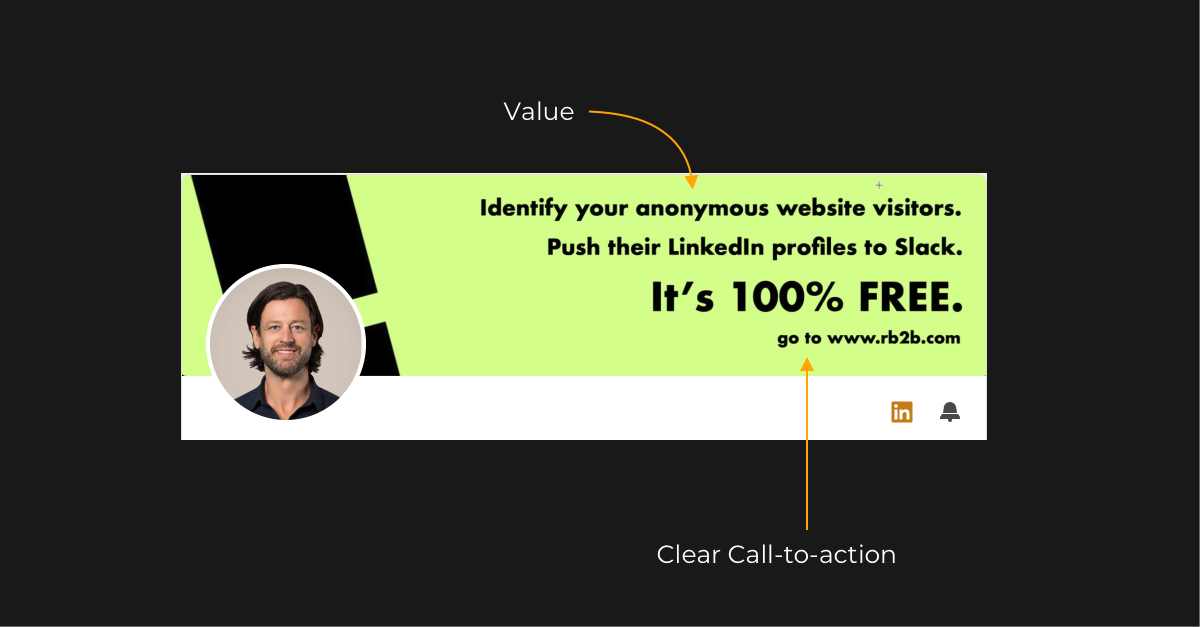
The banner is the first thing people see on your profile, so it should tell them what you do. Forget photos of nature or your home city. People came to do business, so show them the business.
Look at Justin Welsh’s banner. It’s clean and specific, and at first glance you see he has a product for LinkedIn creators.
Now compare it with this one:
And here are two people from the same niche. Who would you hire? One profile builds trust in a second. The other doesn’t.
What to write on it. A short line that explains what you do or what result you bring. Think of it as your one-line pitch. A few good examples:
AI helps a lot here. I get much better results from a prompt with context, goal, outcome and details than from “give me 10 headlines for my LinkedIn”. Here’s the prompt I use for banner and headline positioning:
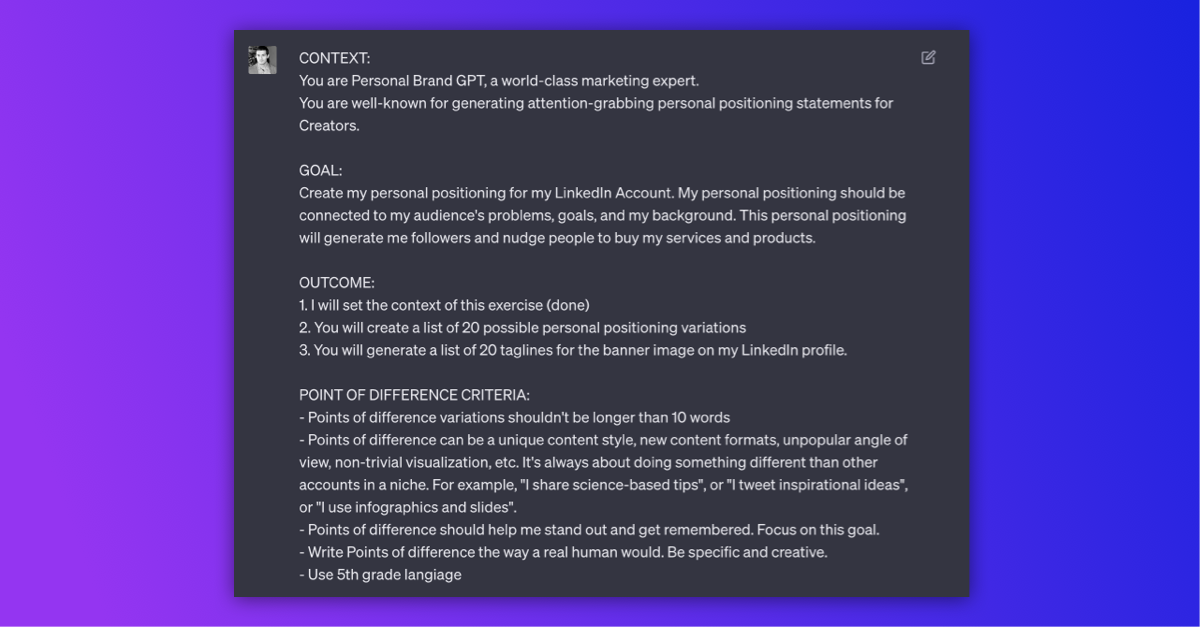
The full prompt is in the free profile pack.
Profile photo
Don’t overcomplicate it. A recent, professional photo where people can clearly see your face.
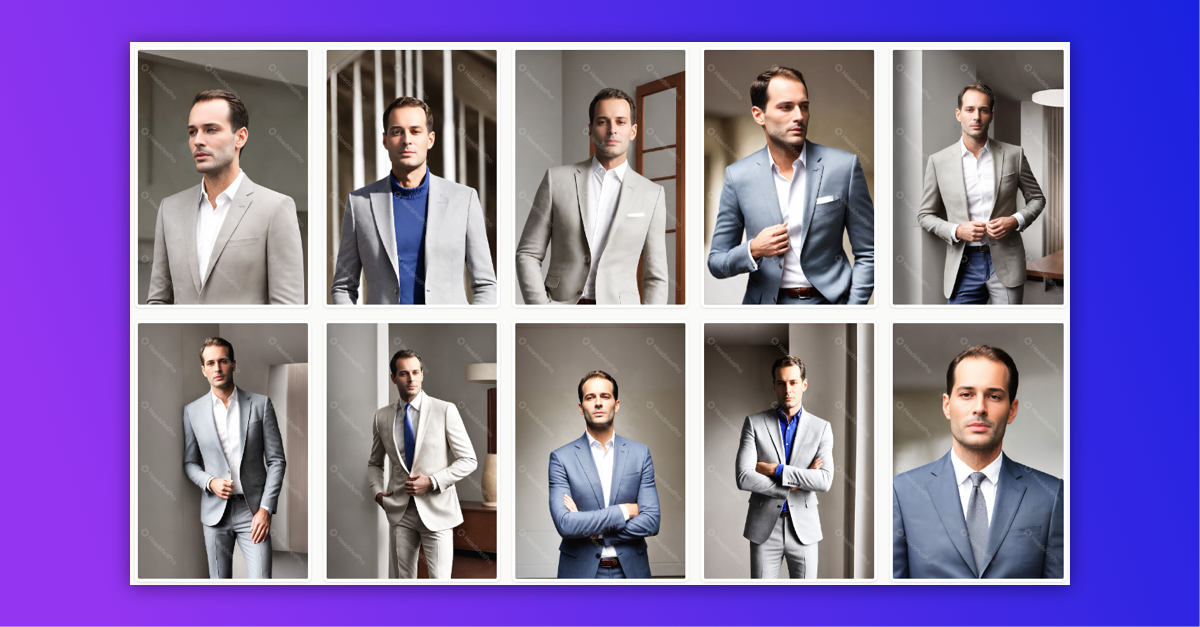
If you don’t have one, AI headshots are good enough now. I tried HeadshotPro: I uploaded my photos, got 120 headshots in three styles and picked 7 I really liked. The whole thing took about 30 minutes. Aragon works the same way.
Headline: say who you help
Some founders get very creative with their headline, and it ends up hard to understand. Creative isn’t the goal. The headline should explain what you do, continue the positioning from your banner, and make people want to know more.
There are three ways to write it:
- The value statement: who you help, how you do it, and what outcome they get.
- The curiosity booster: the interesting thing you’re building and what people can expect from you.
- Social proof: known clients, results or achievements from your niche.
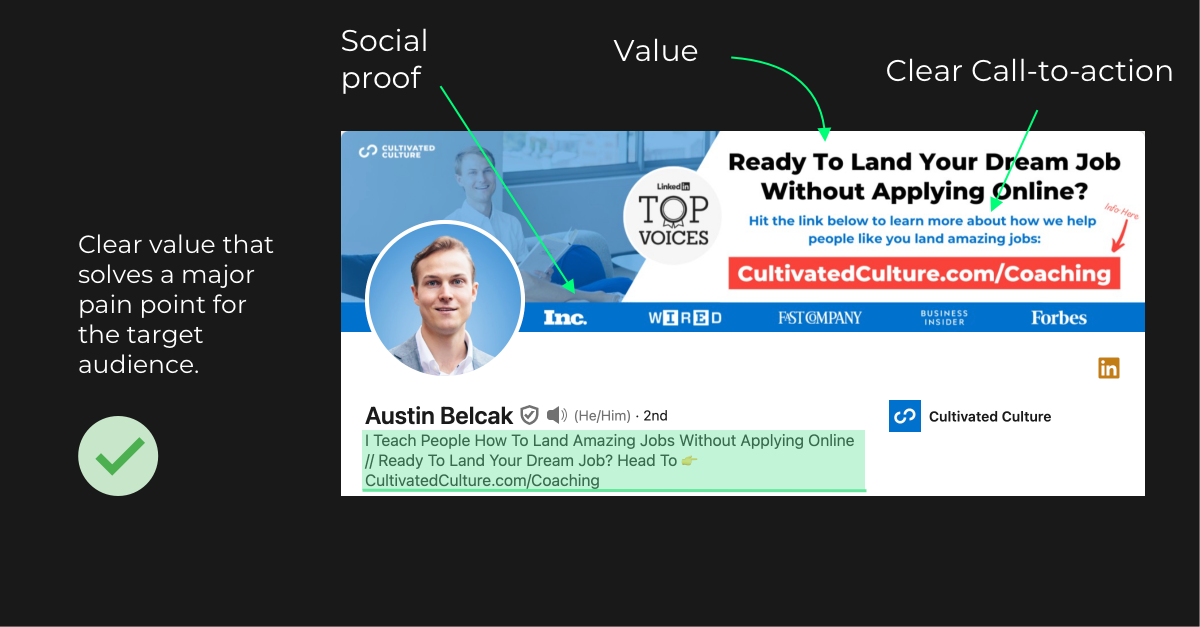
Austin Belcak’s headline is a good example of the first type. You see right away what problem he solves and for whom.
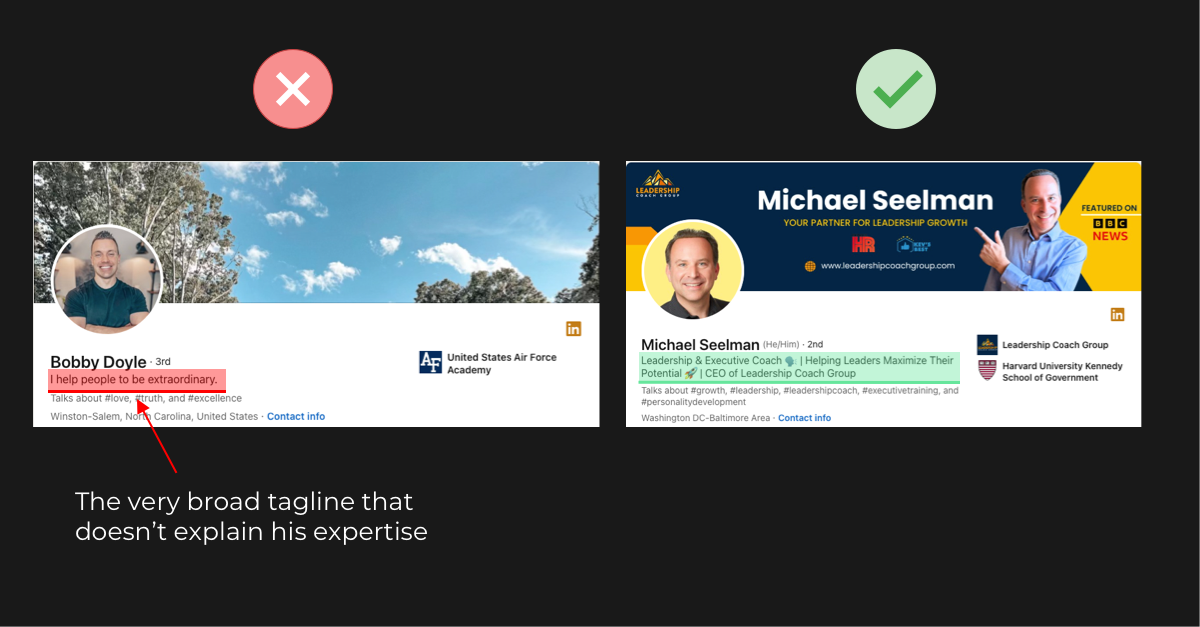
And here’s a very broad headline next to one that says exactly what the person does and who he helps:
One note for founders: don’t stop at “Founder & CEO at [Company]”. Nobody outside your company knows what it does yet. Say what it does for them.
Featured section: where profile visits turn into calls
If the profile is a sales page, the Featured section is the button. For my clients, this is the section that changed results the most. If I had to pick one step in LinkedIn profile optimization for founders, it’s this one.
The common mistake is adding every link you have: the website, the newsletter, three podcast episodes, a PDF from two years ago. Attention spans are short, too many options look chaotic, and people end up clicking nothing.
Add one link. Two at most. Send people to the next step of your funnel, a place where you can actually turn them into customers.
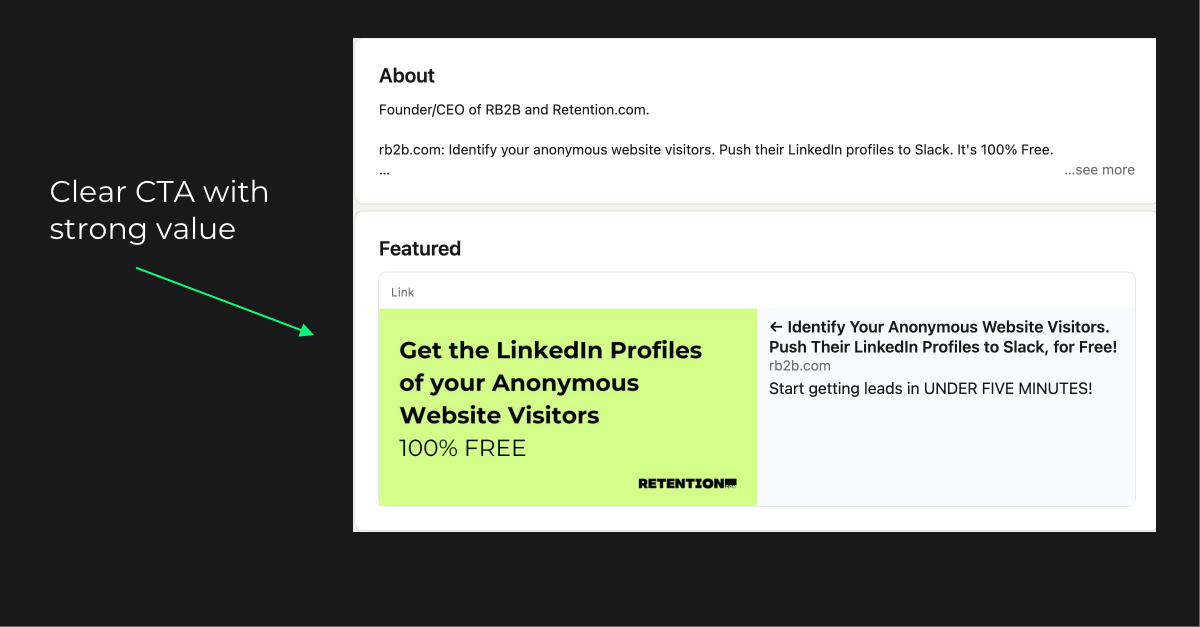
This is a good example from Jason, with only two calls to action.
What this looks like in practice. For the agency owner I mentioned at the start, the most important change was simple. We put a link to book a call in Featured, and made the banner, headline and About all point to it. After that, the profile started bringing 5 to 10 booked meetings every month. In an agency, one lead is worth a lot, so even 5 calls a month makes a real difference.
On my own profile, the link goes to PostHero, and it works. My profile links are a real source of traffic to PostHero. I don’t pitch the product in every post. People read a post, open my profile, see what I’m building and click.
Some people pin their most popular posts here instead. That can work, but remember you don’t own your LinkedIn profile. It’s better to send interested people somewhere you can convert them: a calendar, a newsletter, your product.
About section: tell the story
Here you can write much more. Two formats work well.
1. Short and value-based
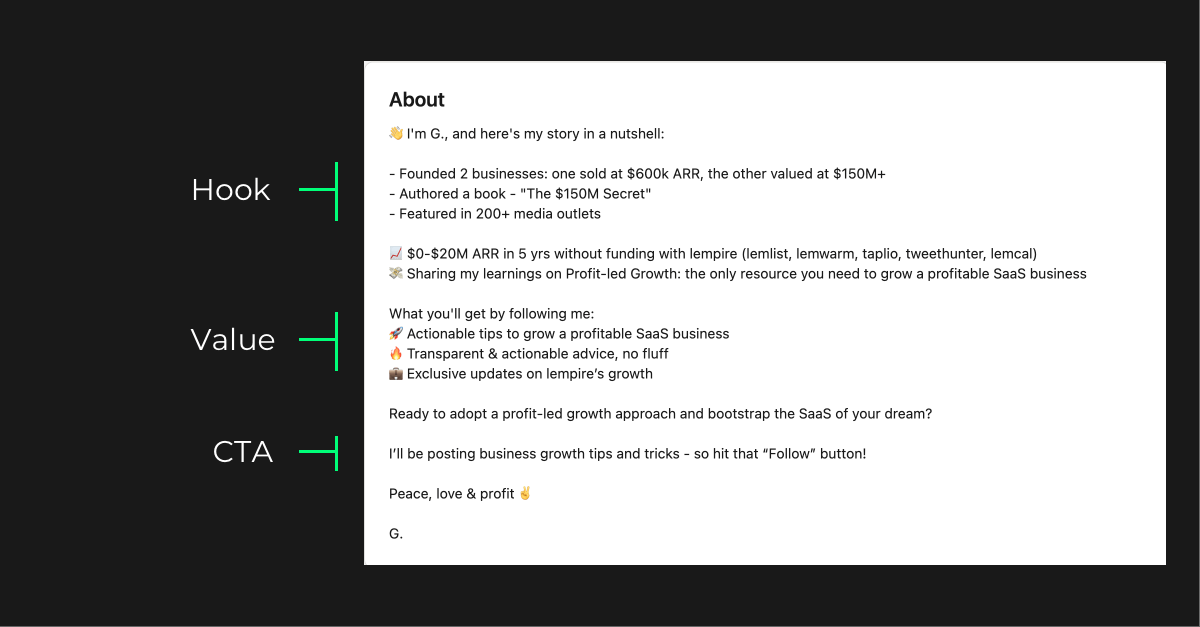
A simple formula: hook, value, call to action. Here’s a good example from Guillaume:
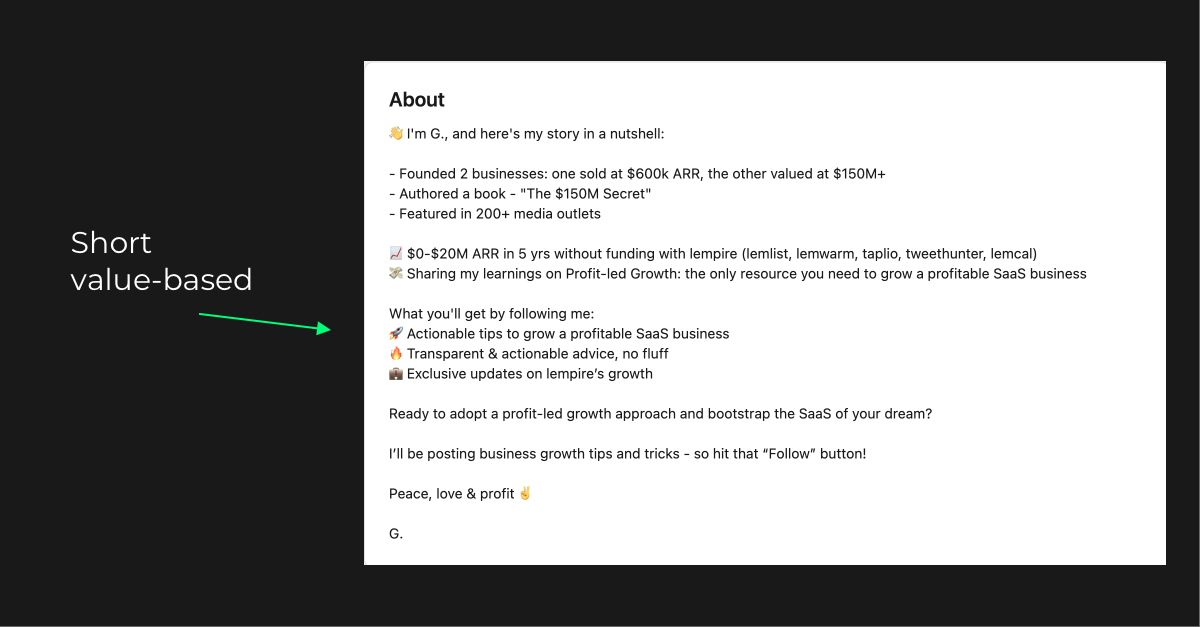
Look closely and you’ll see all three parts, plus social proof to back them up.
2. Personal story
The other way is a longer, personal story that builds a stronger connection with visitors. Justin Welsh does this really well.
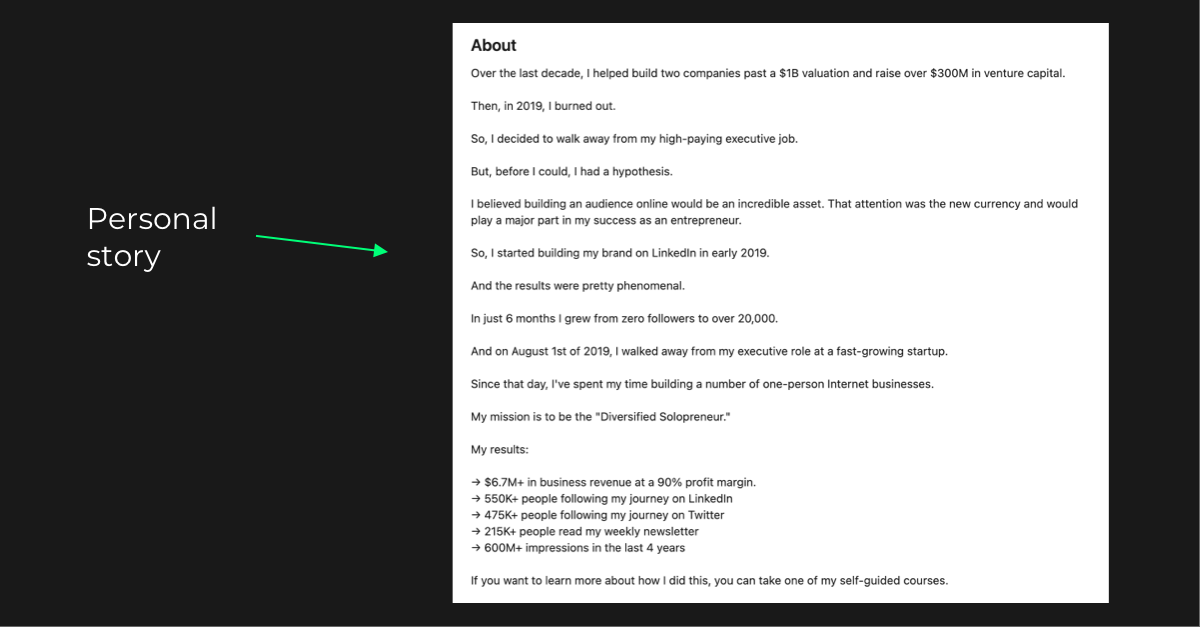
These stories usually start with a challenge you had, then how you solved it and where you are now. It can also be a story without a big result yet, just your journey so far. For founders that’s often the most honest version, and people like following a build.
AI tip: Claude or ChatGPT can write a good first draft. Give it 3-5 About sections you like as examples, add your short bio and the key moments of your story, and ask for your version in the same style. Then rewrite the parts that don’t sound like you. There are always some.
Experience: explain the company, not the job title
Many founders leave Experience as a list of titles. But a visitor who scrolls this far wants to understand what your company actually does. Write your current role for a potential customer: one line on what the company does and for whom, a few lines on results, and the same link you have in Featured.
Older roles can stay short. Nobody books a call because of what you did in 2016.
What happened to the Top Voice badge?
In the first version of this guide I told you to get the gold Community Top Voice badge by adding your thoughts to collaborative articles. That doesn’t work anymore: LinkedIn stopped giving the gold badge on October 8, 2024. The blue Top Voice badge still exists, but LinkedIn’s editors decide who gets it, so you can’t plan your profile around it.
If a guide still tells you to farm collaborative articles for a badge, check its date.
How to audit your LinkedIn profile with AI
To audit your LinkedIn profile with AI, save it as a PDF, give it to Claude or ChatGPT with a prompt that says who your audience is and what you want visitors to do, and ask for a section-by-section review. Then fix the weakest section first.
- Export your profile. On desktop, open your profile, click More (or Resources) and choose Save to PDF.
- Give it to Claude with a clear goal. Use the prompt below and fill in the brackets.
- Rewrite one section at a time. Take the suggestions, then edit them until they sound like you.
Here’s my LinkedIn profile as a PDF. I’m the founder of [company], and I want visitors to [book a call / sign up / subscribe]. My audience is [who]. Review my headline, About, Experience and Featured one by one. For each, tell me if a stranger would understand in 5 seconds what I do, who I help and what to do next. Be direct. Then rewrite only the weakest section, in plain language, no buzzwords.
One limit: the PDF is mostly text, so it won’t show your banner or photo. Check those yourself, or describe them in the chat.
Or run the PostHero profile audit
I kept doing these reviews by hand for clients, so we built a LinkedIn profile audit into PostHero. It checks the key parts of your profile: headline, bio, call to action, About, Featured and Experience, and shows you what to fix.
Once the profile is ready, the next step is posting regularly so people actually land on it. I do most of that from Claude now. Here’s how to connect Claude to LinkedIn and write posts from your own stories. If you post on other platforms too, see the guide to connecting Claude to social media.
LinkedIn profile optimization mistakes founders make
- A headline with only a title and a company name. It tells visitors nothing until they already know your company.
- Five links in Featured. Pick the one step you want people to take.
- An About section written like a pitch deck. Market size and “we’re disrupting X” don’t make anyone book a call. Your story and a clear offer do.
- A profile that doesn’t match what you sell today. Startups change direction. If your banner and headline still describe the old product, people get confused and leave.
FAQ
What is LinkedIn profile optimization for founders?
It’s setting up your profile so visitors quickly understand what your company does for them and take one next step, like booking a call. For founders, the banner, headline and Featured section matter most, because people usually check your profile after seeing a post or getting your message.
What should a founder put in their LinkedIn headline?
Who you help, what you help them with, and the result they get. “Founder at [Company]” alone isn’t enough, because visitors don’t know your company yet. Add social proof if you have it, like a known client or a strong number.
What should go in the LinkedIn Featured section?
One or two links to the next step you want visitors to take: a booking link, your newsletter or your product. For one agency owner I work with, a booking link in Featured brings 5 to 10 meetings a month.
Can AI optimize my LinkedIn profile?
AI is good at reviewing your profile and writing first drafts of your headline and About. Save your profile as a PDF, give it to Claude or ChatGPT with your audience and goal, and ask for a section-by-section review. Then edit the result so it sounds like you.
Can I still get a LinkedIn Top Voice badge?
Not the gold one. LinkedIn stopped giving the gold Community Top Voice badge in October 2024. The blue Top Voice badge is chosen by LinkedIn’s editors.
Is a good profile enough to get leads on LinkedIn?
It’s the foundation, not the whole thing. The profile converts the people who visit it, and posts are what bring them there. Fix the profile first, then post regularly.
PostHero
Check your LinkedIn profile, then fill it with visitors
Run the profile audit, then write and schedule posts that send people to your profile.
7-day free trial.